FullStaq
Transform your Android device into a desktop with multitasking and built-in apps.
Google Play download coming soon.
Features
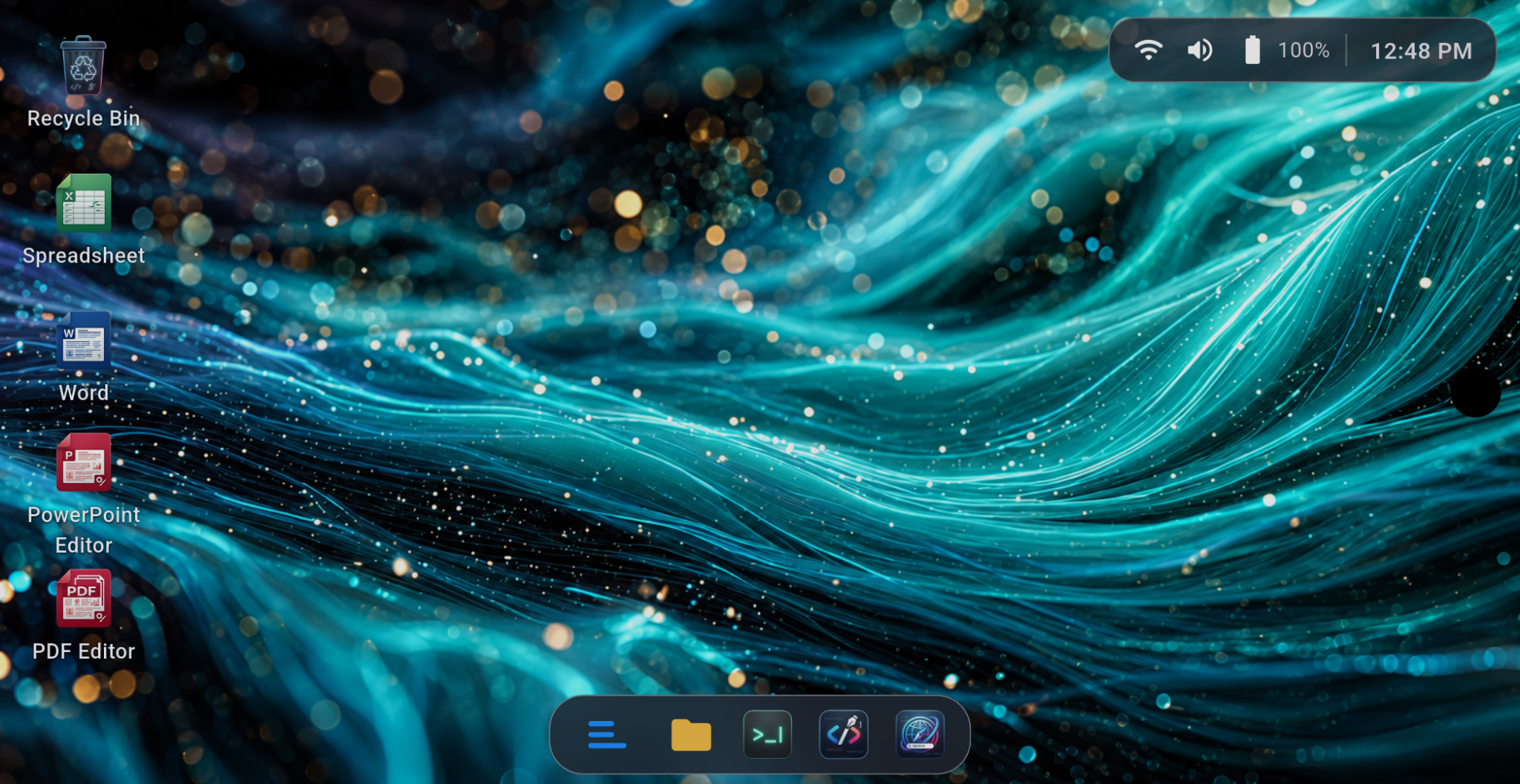
FullStaq is a desktop-style Android launcher designed to bring the familiarity of a traditional computer to your Android device. Featuring a modern interface, floating application windows, advanced file management, multitasking, and built-in productivity tools, FullStaq makes Android feel more like a desktop operating system.
Whether you're using an Android tablet, TV box, or desktop-style Android device, FullStaq provides a flexible workspace designed for productivity, organisation, and everyday use.
Desktop Experience
- Modern desktop interface with a floating application dock.
- Customisable desktop wallpaper and accent colours.
- Desktop shortcuts for applications, files, and folders.
- Drag-and-drop desktop icon organisation.
- Right-click context menus for desktop items.
- Adjustable interface scaling.
- Integrated system status indicators.
Window Management & Multitasking
- Open multiple application windows simultaneously.
- Drag, resize, minimise, maximise, and close windows.
- Snap windows to screen edges and corners.
- Switch between open applications using the dock.
- Manage multiple File Explorer windows.
- Desktop-style mouse and keyboard interactions.
Advanced File Explorer
- Browse internal and supported external storage.
- Create, rename, copy, move, and delete files and folders.
- Drag-and-drop file management.
- List and icon viewing modes.
- File properties and context menus.
- Built-in Recycle Bin with file restoration.
- Browse ZIP and RAR archives.
- Extract supported archive contents.
- Navigate directories using an address bar.
Built-in Productivity Applications
FullStaq includes several integrated applications designed to work within its desktop environment.
Word
- Open and edit supported Word documents.
- Document-style page layout.
- Create and save DOCX files.
Spreadsheet
- Spreadsheet-style interface with cells and worksheets.
- Open and edit supported spreadsheet files.
- Create and save spreadsheets.
PowerPoint Editor
- Open supported PowerPoint presentations.
- Slide-based editing interface.
- Navigate and edit presentation text.
PDF Editor
- Open and view PDF documents.
- Navigate and zoom PDF pages.
- Add editable text annotations.
- Draw and insert signatures.
- Save modified PDF documents.
Code Editor
- Edit text and source code files.
- Syntax highlighting for supported languages.
- Line numbers and file management.
- Open and save files directly.
Web Browser
- Browse websites without leaving FullStaq.
- Multiple browser tabs.
- Integrated address bar and navigation controls.
Terminal
- Built-in terminal interface.
- Execute supported commands and scripts.
Document editing capabilities vary by file format. Some advanced Microsoft Office formatting and features may not be fully supported.
Personalisation
- Change your desktop wallpaper.
- Choose from preset accent colours.
- Configure custom colours using HEX and RGB values.
- Adjust the interface resolution scale.
- Customise desktop appearance and behaviour.
- Personalise your workspace to suit your preferences.
System Controls
- Quick access to Wi-Fi and Bluetooth settings.
- Battery and connectivity indicators.
- Brightness and volume controls.
- Screen rotation settings.
- Integrated notification panel.
- Convenient access to Android system functions.
Some system controls depend on your Android version, device capabilities, and permissions.