
Android ROM Updater
Add over-the-air update functionality to custom Android ROMs.
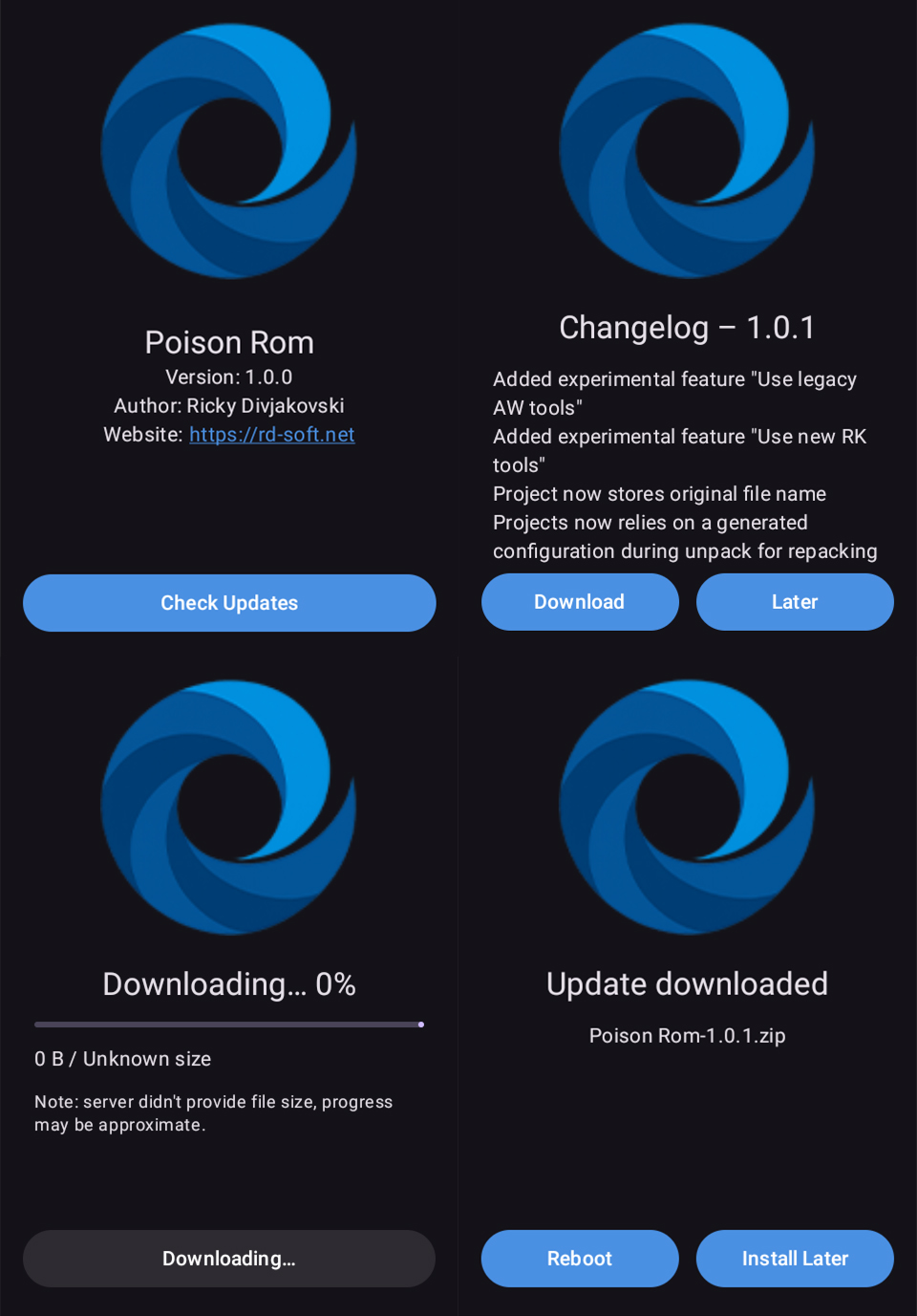

A tool allowing rom creators to enable OTA updates for their custom Roms. Supports Android 7.x and newer.
Free Features
Paid Features
- Check for update
- Display Icon
- Display Rom ID
- Display Version
- Display Author
- Display website URL
- Check for update
- Check for update (in background)
- Notify update is available
- Download update
- Auto-Install update (TWRP)
- Reboot to recovery
- Display Icon
- Display Rom ID
- Display Version
- Display Author
- Display website URL
- Remove ads
Implementation
1. Download the latest version of Android Rom Updater apk file
2. Extract the 2x files from inside th apk file from res/raw (rom_info.json & rom_logo.png)
3. Replace rom_logo.png with the logo for your ROM, make sure its name stays rom_logo.png
4. Upload your Rom and Changelog to somewhere that allows static links and get the direct download links to the files
5. Create a new file called UpdateInfo.json with the following info
{ "name": "Rom ID here", "version": "Rom Version Here", "author": "Riom Author Here", "website": "Your Website Here", "download": "Update Direct Download Here", "changelog": "Changelog Direct Download"}
Heres what mine looks like
{ "name": "Poison Rom", "version": "1.0.1", "author": "Ricky Divjakovski", "website": "www.rd-soft.net", "download": "https://raw.githubusercontent.com/RickyDivjakovski/AndroidRomUpdater/main/TestUpdate/downloads/PoisonRom1.0.1.zip", "changelog": "https://raw.githubusercontent.com/RickyDivjakovski/AndroidRomUpdater/main/TestUpdate/downloads/PoisonRom1.0.1_changelog.txt"}
6. Save it and upload it to somewhere that allows static links, then get the direct download link for the file.
6.1. PAID USERS ONLY – Upon purchasing a subscription submit your ROM ID and the UpdateInfo.json URL in the purhase page
7. We now need to edit the rom_info.json we extracted from the APK, heres what the content should look like (Note: For free users I suggest setting your website to your downloads page)
{ "name": "Rom ID here", "version": "Rom Version Here", "author": "Riom Author Here", "website": "Your Website Here", "update_url": "UpdateInfo.json Direct Download Here"}
Heres what mine looks like
{ "name": "Poison Rom", "version": "1.0.0", "author": "Ricky Divjakovski", "website": "https://rd-soft.net", "update_url": "https://raw.githubusercontent.com/RickyDivjakovski/AndroidRomUpdaterTest/main/UpdateInfo.json"}
8. Place the edited rom_info.json and the rom_logo.png back inside the apk in the res/raw folder, overwrite the old ones
9. Place the apk inside /system/priv-app folder (if apps have their own colders make one for the app and place it inside)
10. Enjoy OTA updates!
You can view the exact test files I used for this example that will trigger an update, download and install here in the Test Update folder in the Github Repository
https://github.com/RickyDivjakovski/AndroidRomUpdater/tree/main/TestUpdate
PS: I dont recommend hosting roms and updates via Github but it can be done.
Bugs can be submitted via XDA-Developers post here – xda-page
Changelog
Version 1.0.0-Initial Release